WindowSets.
Open your workspace.
Everything in its place.
A website workspace launcher for Windows 11 and Chrome. Choose your websites, save a layout, and switch between the different ways you work.
A little room
to do your best work.
Good ideas start small.
One task.
One useful tool.
A smoother day.
Interactive example with illustrative content, not live websites.
Fit your screens
The Windows launcher calculates positions from the monitor work area and remembers monitor choices on each PC.
Different sets for different tasks
Keep named sets for research, trading, regular hours or any other website workflow.
Give a website more room
Swap a website with another position to move it into a larger section.
Make it yours
Change URLs, sections and layout settings without editing the core launcher.
A browser workspace, in practice.
This test screenshot uses synthetic scanner data and shows the fallback when a website cannot load inside a pane. Trading is one use case, not a requirement.
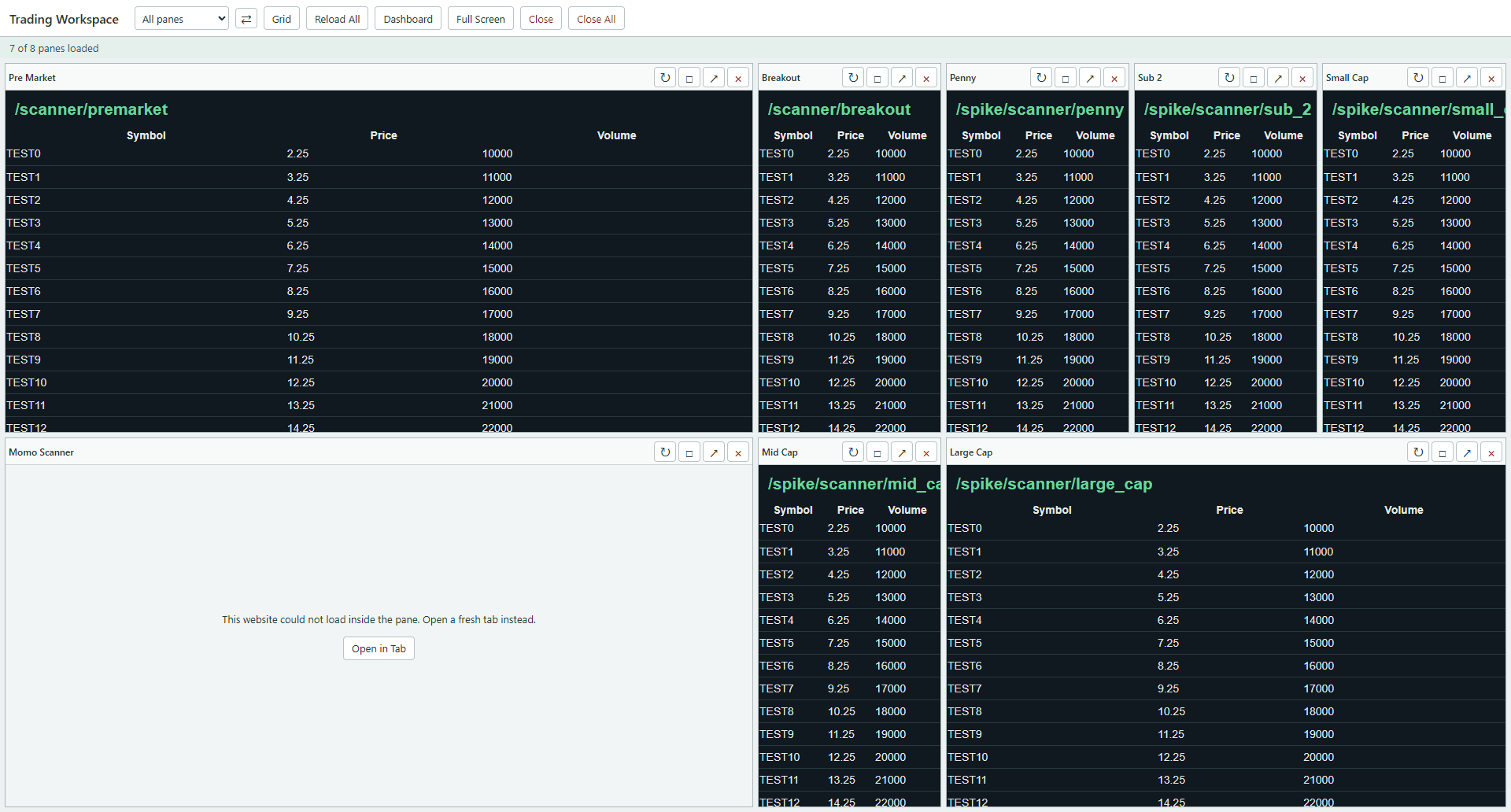
Test environment. Not live market data. Website accounts and subscriptions are separate.
What to know.
Does WindowSets arrange any desktop application?
No. The current prototype opens websites in Chrome app-mode windows on Windows 11. It does not manage arbitrary desktop applications.
Can I use different sets on different monitors?
Yes. The private Windows prototype supports named workspace sets and per-computer monitor preferences. Different sets can be opened on different monitors.
Does it replace website subscriptions or sign-ins?
No. You still need your own website accounts and subscriptions. Authenticated websites may require a fresh sign-in, and some websites cannot be embedded in a browser pane.
Is there a browser-only version without an extension?
The current local browser workspace uses a Chrome extension. The Windows launcher is a separate option. A hosted page cannot reliably embed every website or bypass website security restrictions.
When can I buy WindowSets?
WindowSets is a working private prototype, not a public retail release. Pricing, packaging, licensing and public download availability are not finalized.